
Every job, one command center. Profit, calculated live.
Stop reconciling spreadsheets to find out if a job is profitable. Every project gets a single, 12-tab command center where budget, expenses, change orders, milestones, and team costs roll up into one number: real, live net profit, calculated automatically, every time a cost is logged.
Jobs bleed margin in the gap between quoted and spent.
Materials cost more than estimated, a subcontractor bills late, a change order gets verbally approved but never logged. Multiply that across a dozen active jobs and an owner is flying blind on real profitability.
Every project, from a $6,200 gutter job to a $55,000 renovation, gets its own command center with real budget tracking that updates the instant a cost is logged. No end-of-job reconciliation. No separate spreadsheet.
One page. Twelve tabs. One number.
Real captures of the live product. Switch chapters and hover the pins to see the rollups update.
Watch net profit calculate itself.
Log an expense or record a payment and the net-profit number, payments received minus total expenses, recomputes live, along with the allocated-vs-actual bars.
A real construction lifecycle, not a status dropdown.
 click to zoom
Every project, one glance.
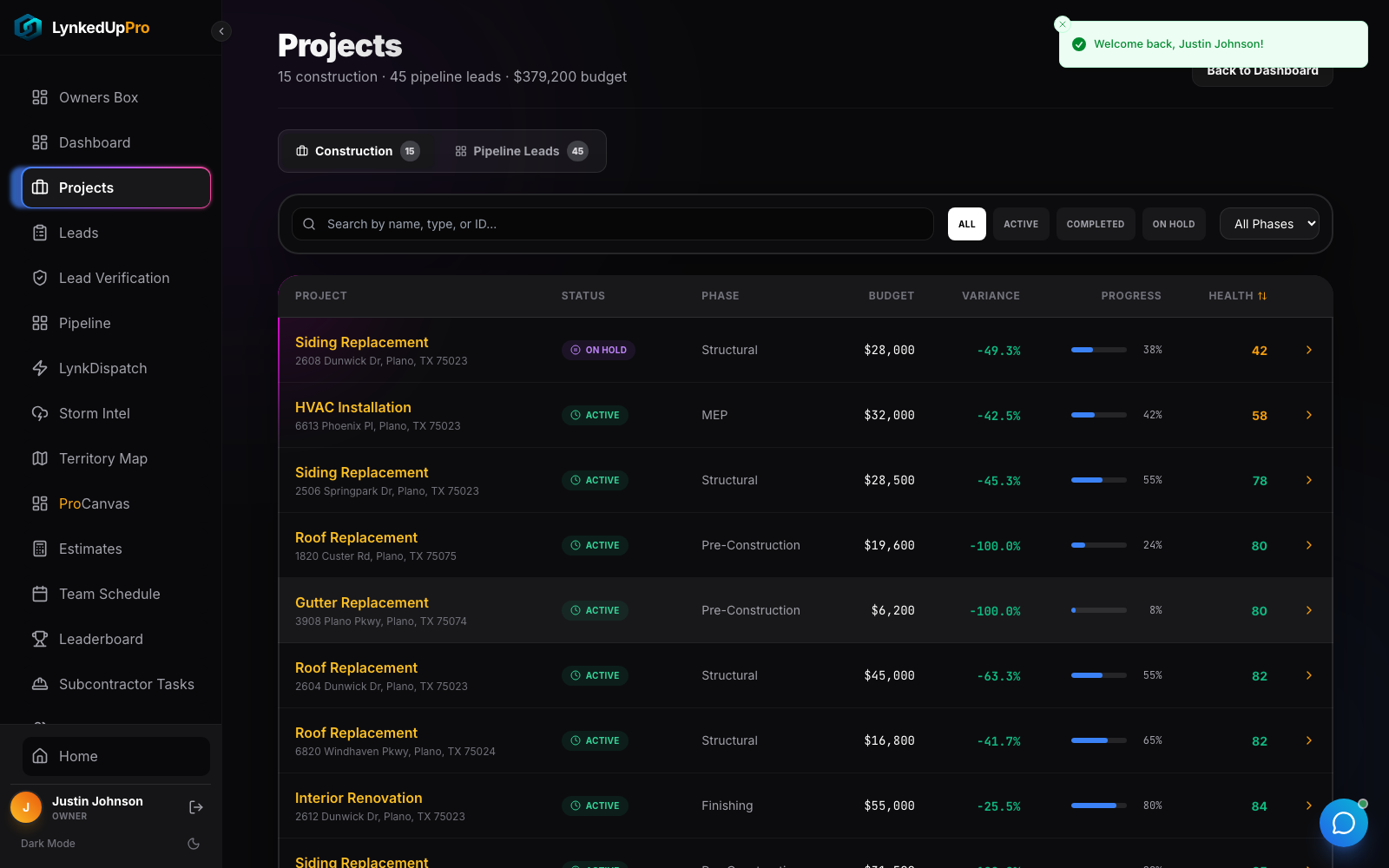
A sortable table with budget, variance, progress, and health score, a real captured portfolio of 15 construction projects worth $379,200 in tracked budget.
 click to zoom
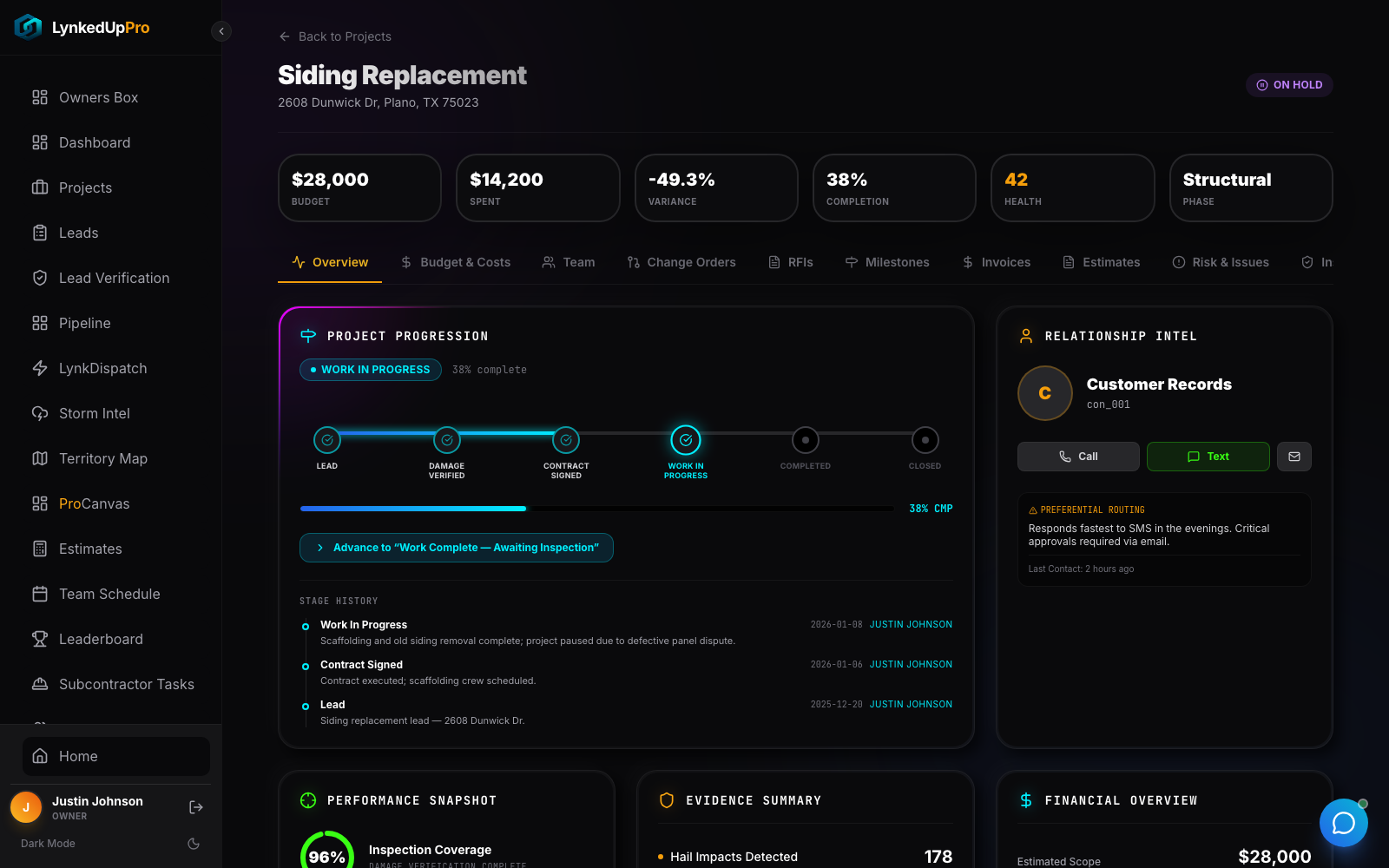
Lead → Damage Verified → Contract → Work → Completed → Closed.
A six-stage lifecycle that matches how construction actually works, with a dedicated Rework branch that re-enters Final Inspection.
 click to zoom
Net profit that calculates itself.
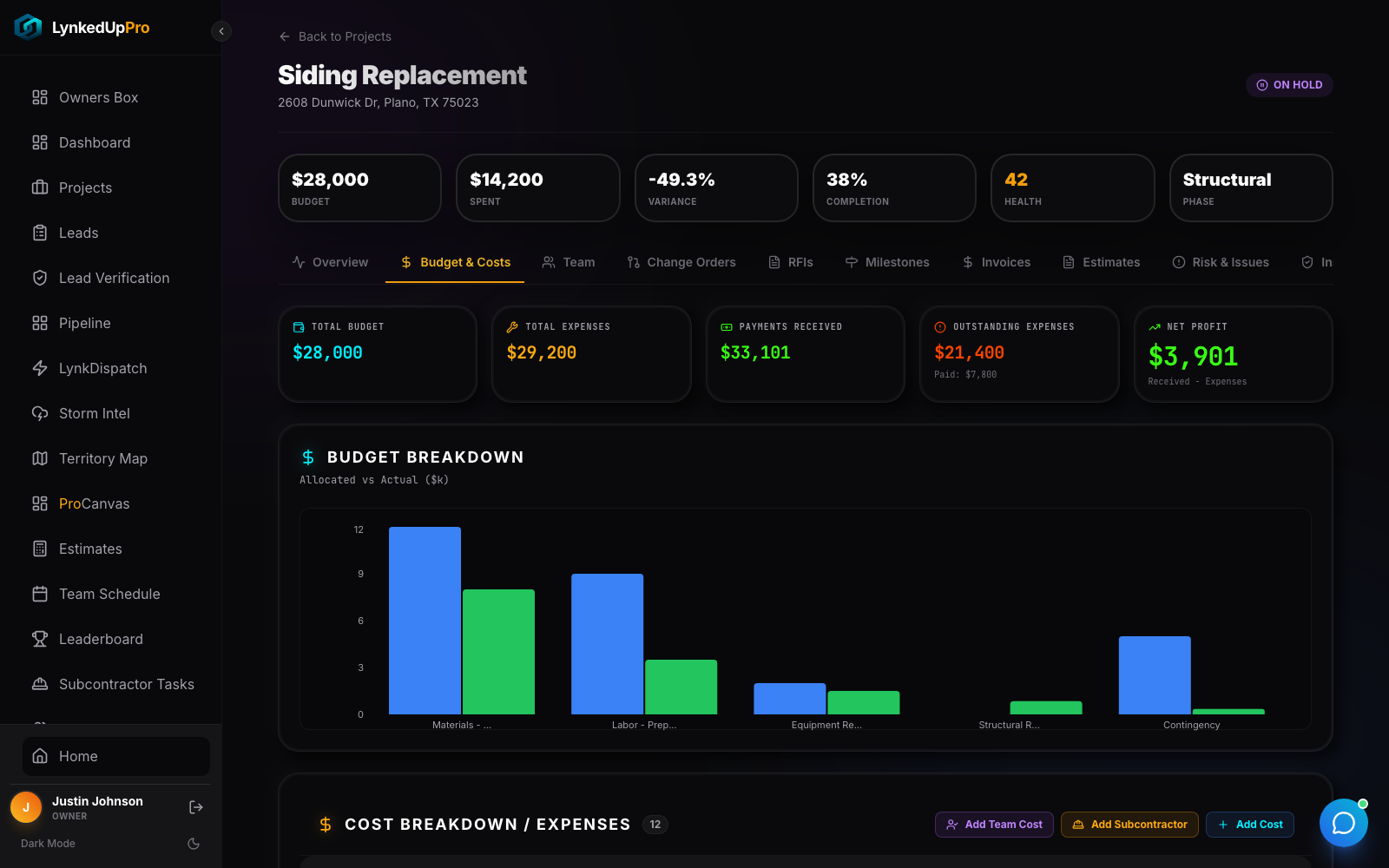
Net Profit = Payments Received − Total Expenses, computed automatically. A real example: a $28,000 budget showing $29,200 in expenses, $33,101 received, and a live $3,901 net profit, next to an allocated-vs-actual bar chart.
 click to zoom
Milestones, tracked visually.
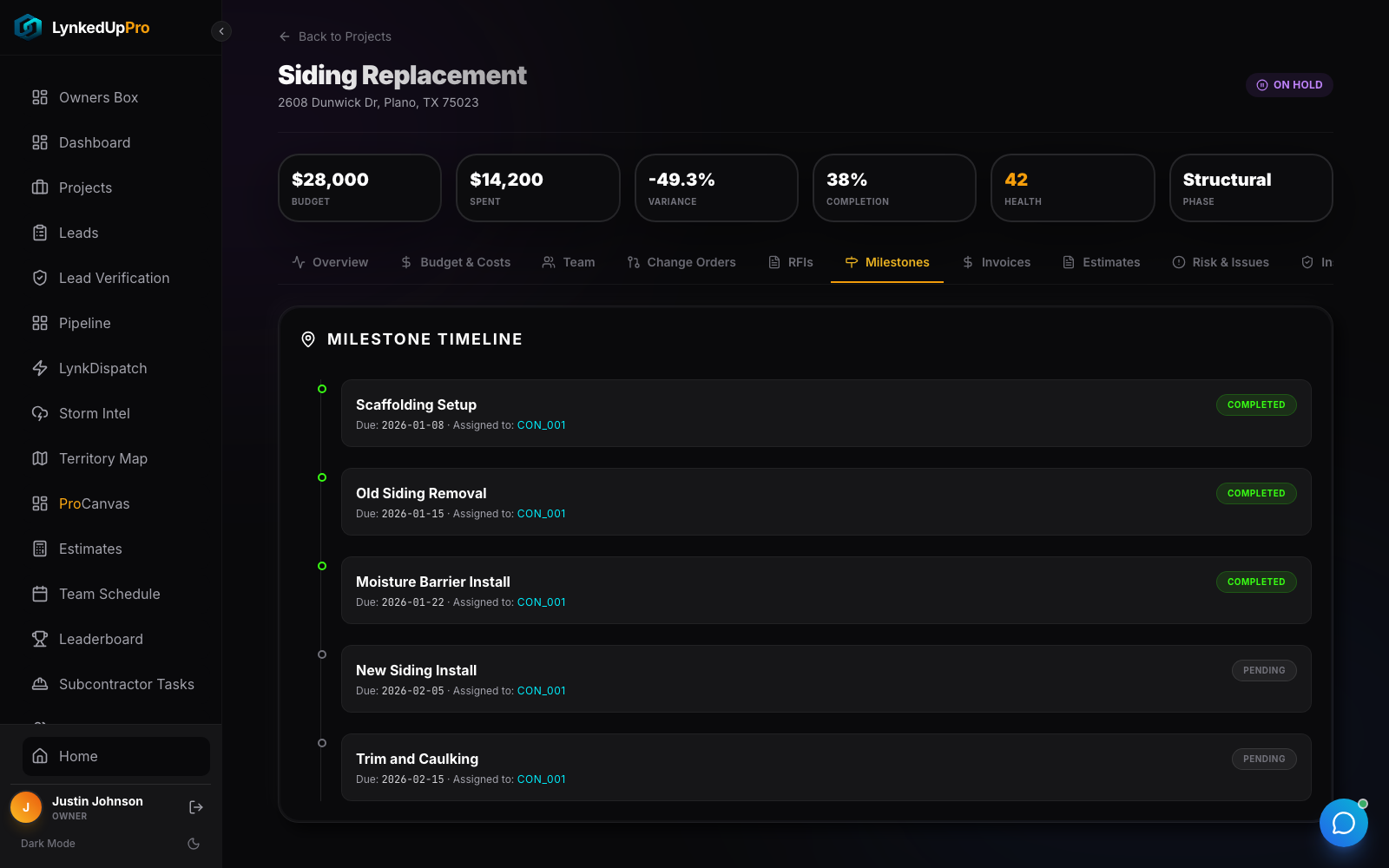
A vertical milestone timeline, what's done, what's in progress, what's still pending.
 click to zoom
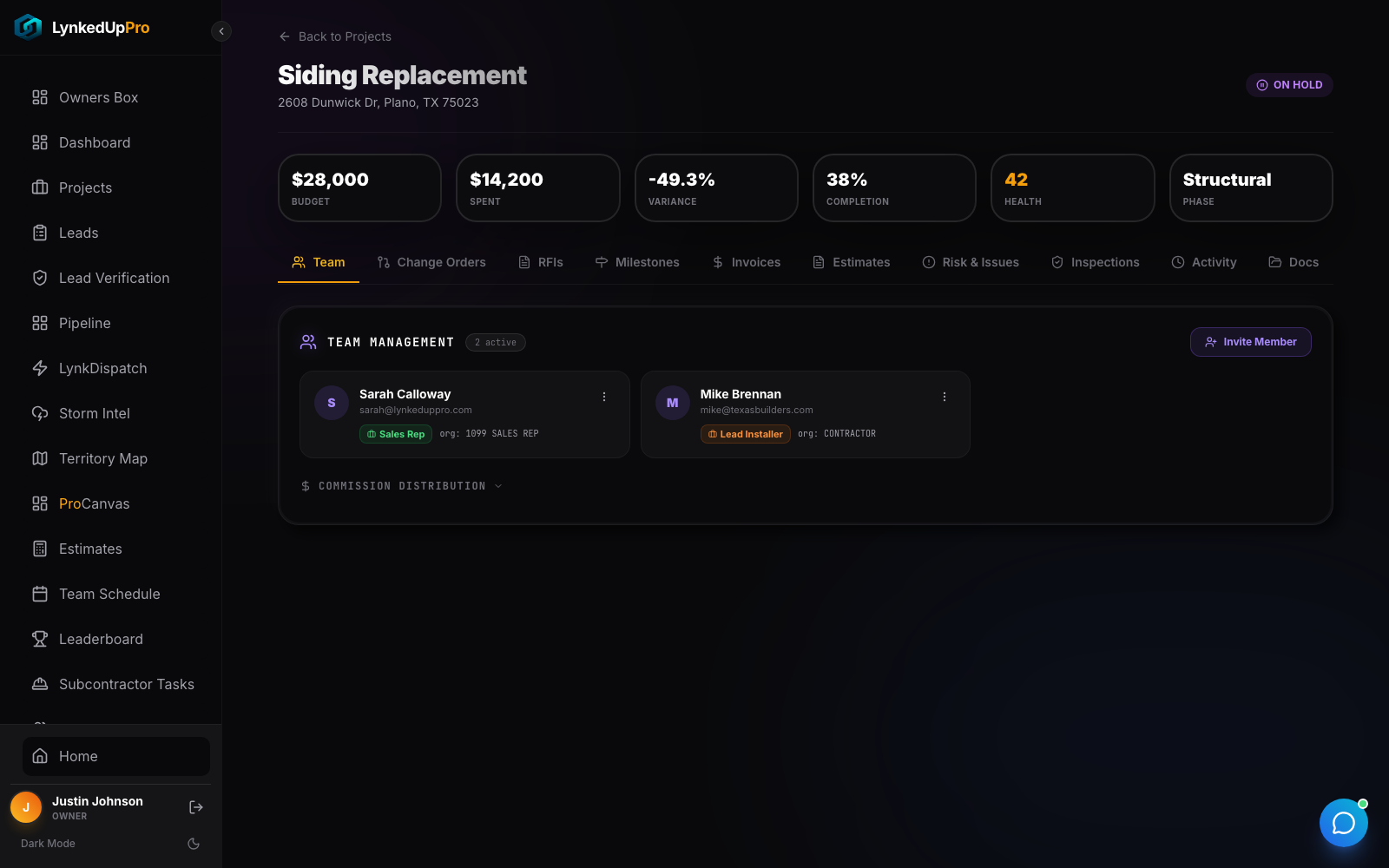
The whole team, in one tab.
Every person plus a configurable commission engine, flat, percent of gross, percent of net profit, or manual override, each shown as a literal formula, not a black-box payout.
Everything a job needs, in one place.
| Tab group | What lives there |
|---|---|
| Financial | Overview, Budget & Costs, Invoices, Estimates, with live net-profit rollup. |
| Delivery | Milestones, Change Orders (request & approval), RFIs, Inspections. |
| People | Team & commissions, Risk & Issues, Activity feed. |
| Docs | Per-filetype icons and color coding (PDF / DOCX / MD / TXT / JPG / PNG). |
| Roles | One page serves Owner, Admin, and Field Agent, with role-gated controls. |
The spreadsheet killer.
Not a number you reconcile after the job closes.
"Add Team Cost," "Add Subcontractor Cost," "Add Cost", every rollup updates immediately.
Including a first-class Rework stage.
Every formula is shown, not hidden behind a payout number.
Budget, team, change orders, milestones, documents.
The same detail page serves owner, admin, and field agent with gated controls.
The questions every operator asks.
It's an at-a-glance indicator, pair it with real budget variance and progress percentage for the full picture.
A dedicated Change Orders tab logs it and reflects it into the numbers.
The same page serves Owner, Admin, and Field Agent with role-gated controls, stage-advancing is limited to Owner/Admin.
The other seven moving parts.
Every job's real profit, calculated the moment a cost is logged.
That's the Project Command Center. Book a walkthrough and we'll open a real project's numbers.