
Stop reading documents. Start asking them.
Every business runs on paperwork, and the one number you need is always buried. Document Center reads every invoice, contract, spec, permit, photo and voice note the moment it lands, pulls out the details that matter, files it automatically, and remembers every word. Then you just ask, in plain English, and the answer comes back with the exact line it came from.
Four problems, one pile of paper.
Teams spend hours reading, sorting and re-typing information by hand. Details get missed, a wrong date or a missed amount. Answers exist somewhere but nobody can find them fast. And when a number is questioned, proving where it came from is a scramble.
Document Center takes documents however they arrive, recognizes what each one is, captures the printed details word-for-word, and files it, with no templates to build and no fields to map. Then it answers questions from your library, and shows its work.
Three steps. No training, no templates, no data entry.
Drop a document in. Then ask it something.
A working slice of the real thing. Pick a document, watch it get read field by field, then ask a question, including one it can’t answer, to see it refuse to guess.
Illustrative demo with sample documents. In the product, extraction runs on your own library and every citation opens the real page.
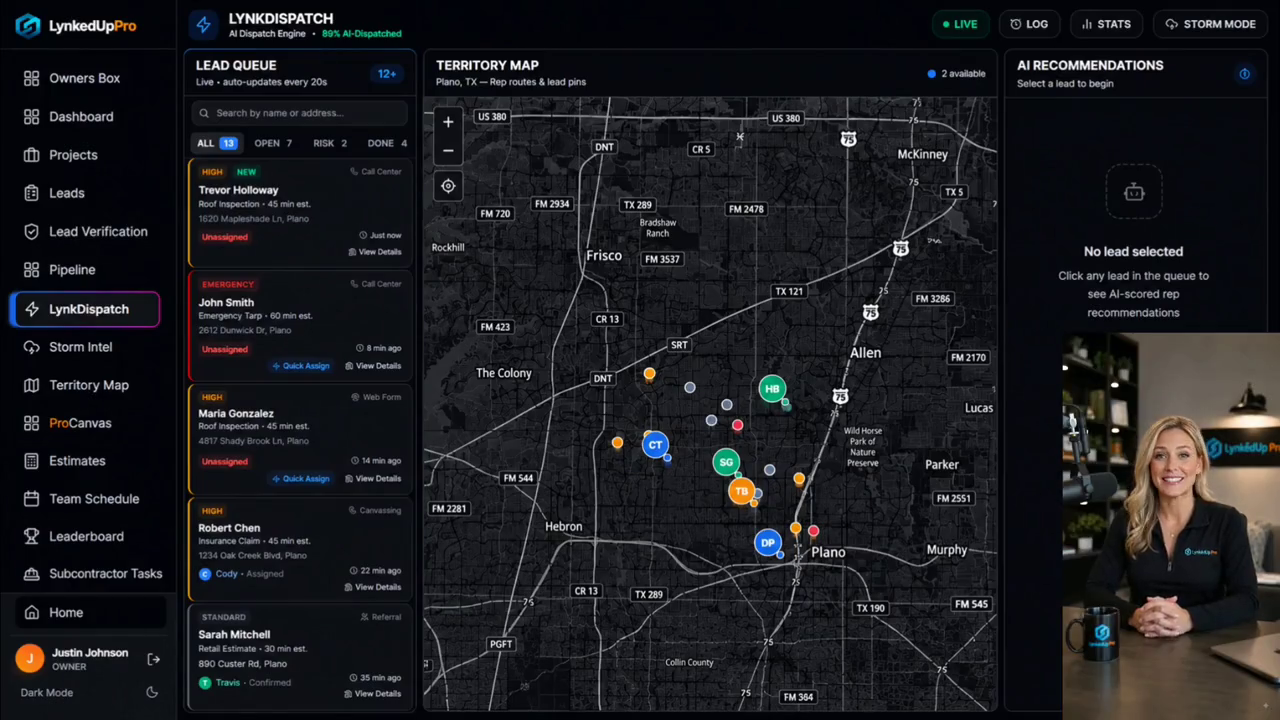
Dedicated footage is still in production.
Document Center ships ahead of its own capture session, so the reel below is the full product demo, every feature end to end. The Document Center walkthrough drops in as soon as it is cut.
From a forwarded email to a sourced answer.
 click to zoom
Send it in any way you like.
Upload a file, forward an email with its attachments, snap a photo of a document or the job site, or record a voice note that becomes searchable text. Every file is virus-scanned before anything else happens, then filed with the right labels automatically.
 click to zoom
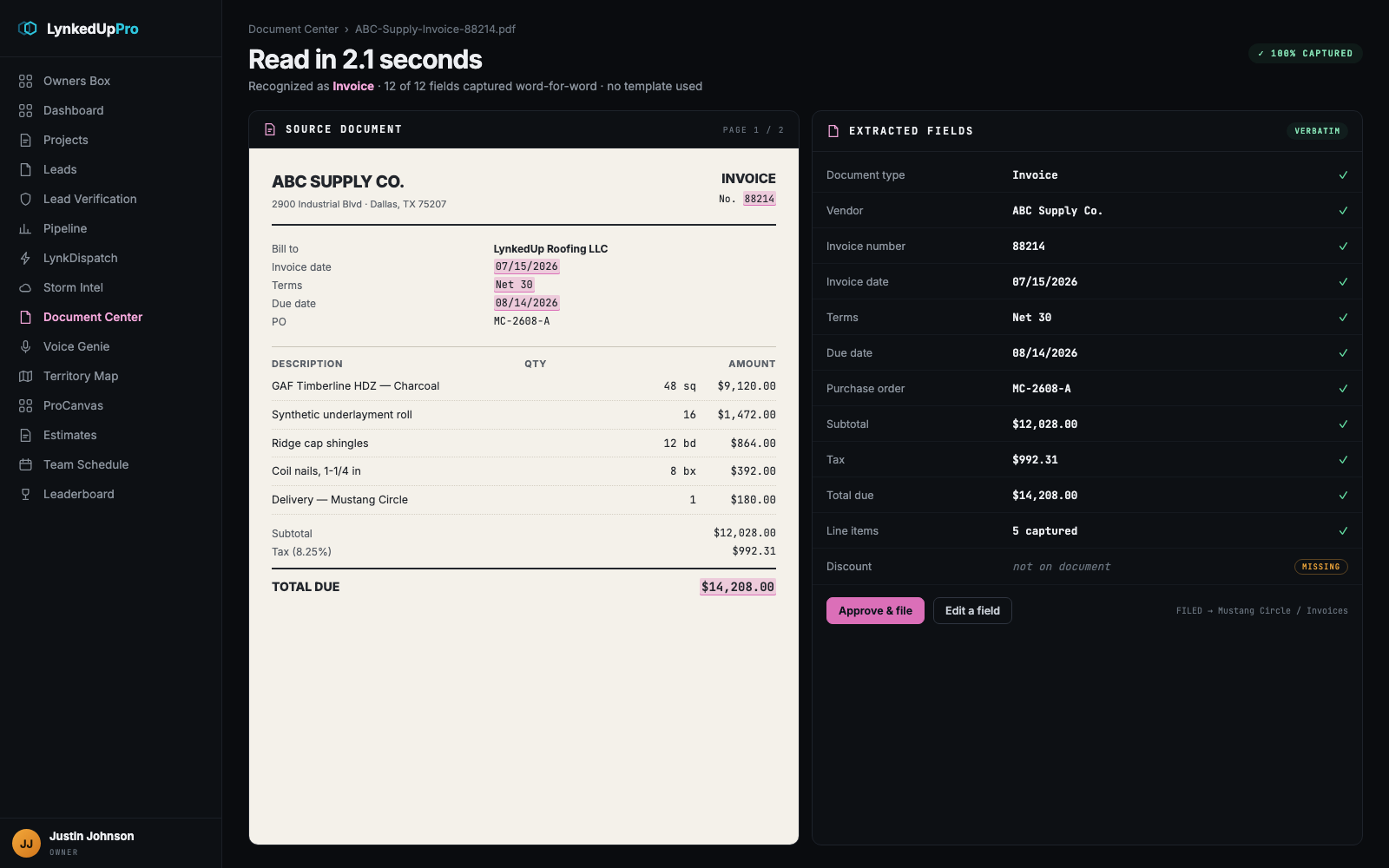
It reads the document, exactly as printed.
Vendor, dates, amounts, policy numbers, line items, captured word-for-word with no templates to build and no fields to map. It never guesses: if something isn’t on the page, it reports it as missing rather than inventing it.
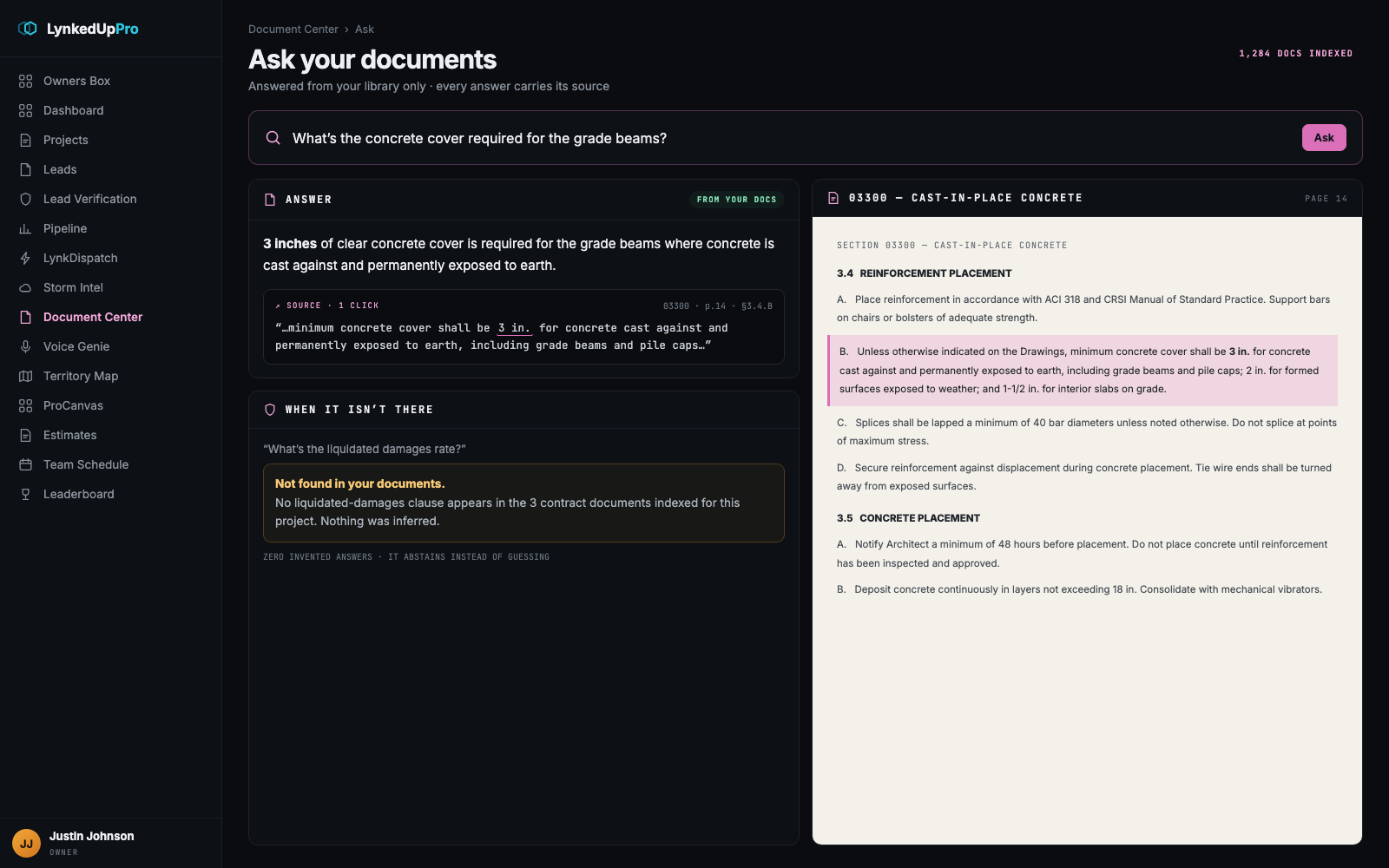
click to zoomAsk in plain English. Get the receipts.
Search understands meaning, not just keywords, so it finds the right page even when your wording doesn’t match the document. Every answer carries a one-click link to the exact document, version and line, and when the answer isn’t in your library it says so.
 click to zoom
On construction jobs, it goes further.
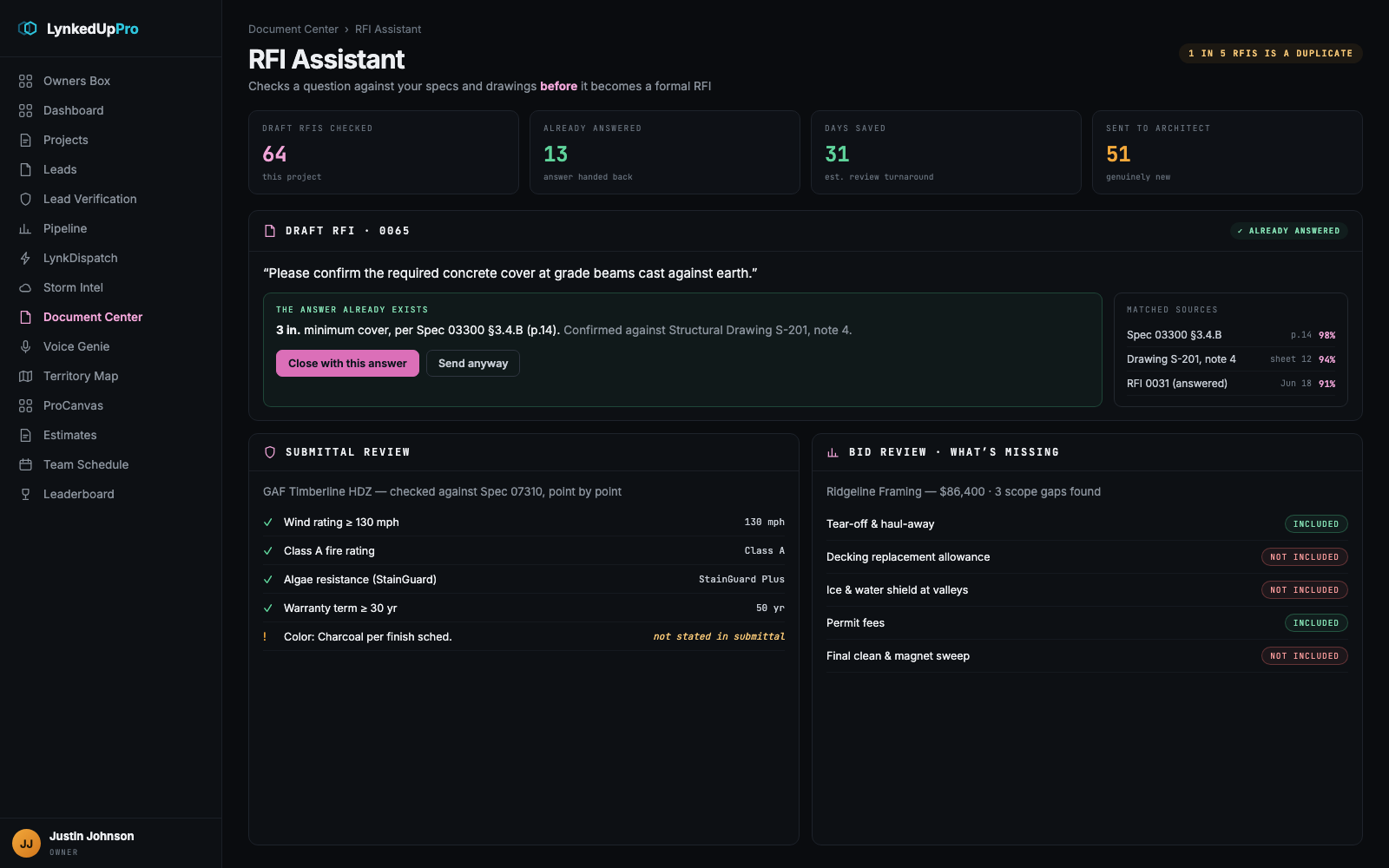
The RFI Assistant checks a draft question against your specs and drawings before it becomes a formal RFI. Submittals get checked against the spec point by point, and a subcontractor’s bid gets read for what it left out, not just what it included.
Measured, not claimed.
From controlled accuracy testing across a broad set of real-world document types.
| The old way | The Document Center way |
|---|---|
| Save the attachment, rename it, drop it in a folder, re-type what’s inside. | Forward it once and you’re done. |
| A person reads each document and types details into a spreadsheet. | It happens automatically, in seconds, with no template. |
| Keyword search misses anything phrased differently. | Search understands what you meant, not just what you typed. |
| Open five files and piece the answer together yourself. | Ask once, get the answer with its source. |
| “Where did this number come from?” starts a frantic search. | The proof is one click away, always. |
| Nobody notices two documents contradict each other until it’s a dispute. | The mismatch is flagged the moment it appears. |
Twelve things it does, without being asked.
Upload, email, photo or voice, four ways in, one organized library. Every file virus-scanned on arrival.
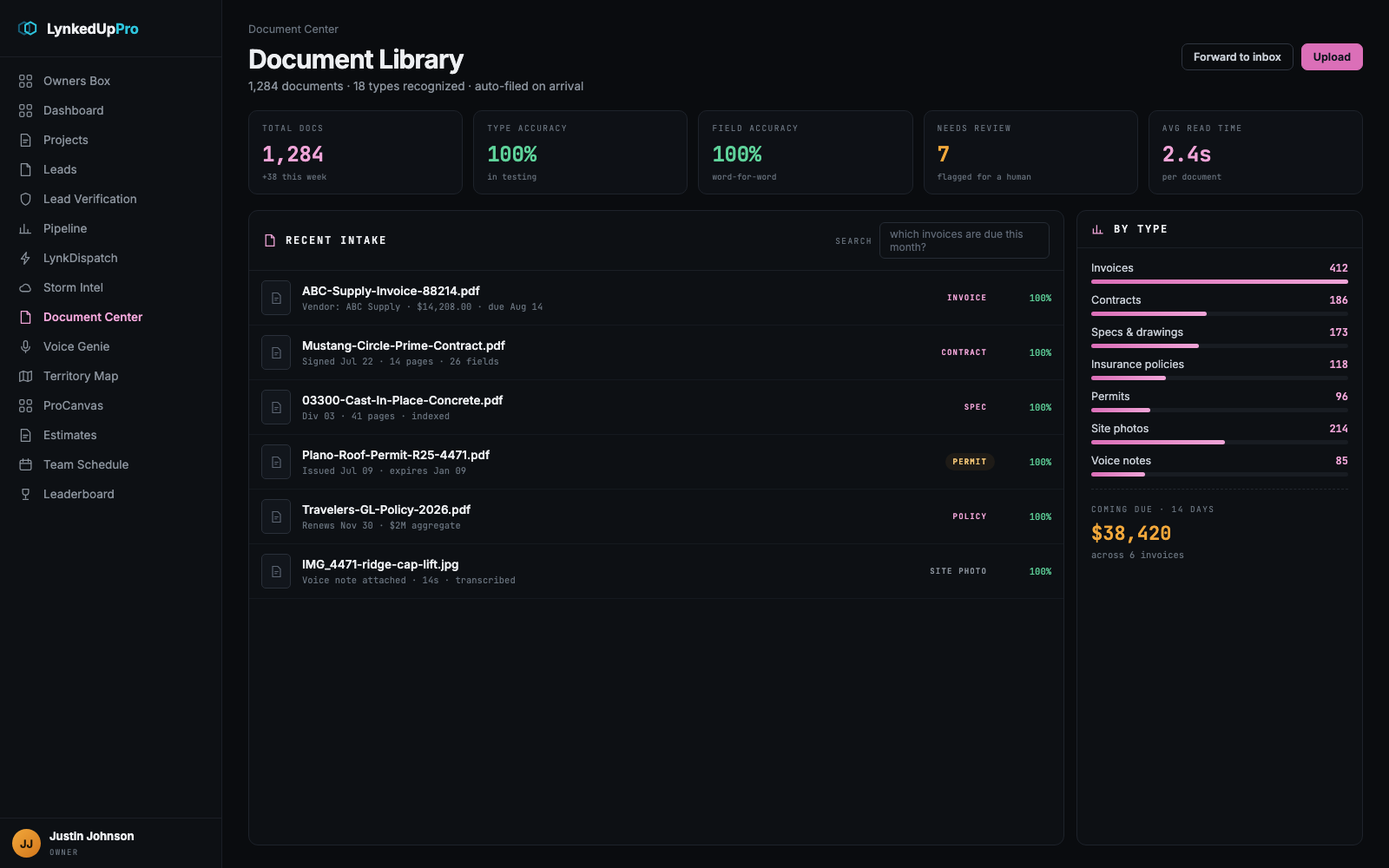
18 business document types plus site photos, recognized and extracted in seconds each.
Word-for-word capture. Missing data is reported as missing, never filled in.
Right place, right labels, automatically, and one click to move or re-tag anything.
Ask “which invoices are due this month?” and get the answer, not a keyword pile.
Links the invoice to the estimate, the policy to its renewal, and flags when they disagree.
Exact document, exact version, exact line. Nothing is a black box.
It suggests, you approve. Anything that needs a human eye gets flagged for one.
Counts by type, trends over time, and what’s coming due, always current.
Clean, branded, share-ready documents generated in seconds.
Real-time hand-offs the moment something is processed, reviewed or ready.
Consent captured, every action logged, secure permanent deletion on request.
Ready for three industries on day one.
Each ships with the document types and rules that fit how that industry actually works, with more on the way.
Specs, drawings, submittals, RFIs, change orders, lien waivers and certified payroll, plus the RFI Assistant and bid review built on top.
Closing statements, purchase agreements, appraisals, title docs and inspection reports, read and cross-checked against each other.
Invoices, statements, loan files and insurance policies, where a wrong digit is a real problem and traceability is the whole job.
The questions every operator asks.
No. It only answers from your documents, and every answer carries a one-click link to the exact line it used. When the evidence isn’t there it abstains instead of guessing, which is the opposite of what a general chatbot does.
No templates, no field mapping, no training. It recognizes 18 document types plus site photos out of the box and reads each one in seconds.
It flags the document for a human and reports the specific field as missing. Nothing important is finalized without your sign-off, and it never fills a blank with a plausible guess.
Yes. Consent is captured up front, every action is logged, and secure permanent deletion is available on request.
An approved invoice posts straight to the project’s Budget & Costs tab, so net profit moves the moment a cost is captured, no double entry.
The other seven moving parts.
Turn paperwork into answers.
Less busywork, fewer mistakes, faster decisions, and a clear trail behind every answer. Watch the full product demo, or bring us a stack of your own documents and we’ll read them live.