
Custom home builders run a business that most software was not designed for. Every project is different. The sale takes months, the build takes most of a year, and a single home involves hundreds of decisions made by a buyer who is spending more money than they ever have before. Production-builder software assumes repeatable plans. Generic CRMs stop at the signed contract. Project management tools forget the buyer exists.
This buyer's guide covers what custom home builder software needs to do, a month-by-month example of one custom home on a single record, and the questions to ask before you commit.
Why Custom Building Needs Different Software
- No two scopes are the same. Schedules and budgets are built per project, not copied from a plan template.
- Allowances drive the budget. The final price depends on selections the buyer makes months into the build.
- Change orders are constant. An upgrade agreed on site has to reach the contract before it reaches the field.
- Contracts vary. Some jobs are fixed price, others cost-plus with a fee.
- The buyer is involved every week. Without a clear view of progress, every question becomes a phone call to the superintendent.
Workflow Example: One Custom Home on One Record
Here is how a single custom project should flow through connected software. The timeline is an example of a typical shape, not a promise of duration.
| When | What happens | What lands on the record |
|---|---|---|
| Month 0 | An architect refers a couple with a lot and rough plans | Lead with referral source, nurture sequence while plans are finalized |
| Month 2 | Contract signed, cost-plus with a fee | Contract, per-project budget by cost code, allowances by category |
| Month 3 | Design appointments; flooring and cabinets selected | Priced selections with buyer approval and decision deadlines tied to the schedule |
| Month 4 | Per-project schedule built; trades assigned and confirmed | Phases, inspections, trade assignments |
| Month 6 | Buyer asks to add a covered porch extension on site | Change order with price, schedule impact, and approval; contract value updated |
| Months 5 to 10 | Lender draws at each milestone | Draw packages from photos, inspections, and lien waivers already on the job |
| Throughout | Buyer checks progress weekly | Portal shows phase, photos, approved selections, decisions due |
| Month 10 | Final walkthrough and closing | Punch list, closing documents, warranties and manuals in the portal |
| Month 18 | Buyer reports a sticking exterior door | Warranty request routed to the responsible trade with the build history attached |
The point is not the software screens. It is that the porch extension agreed in month six is on the contract, the budget, the schedule, and the draw, without anyone re-typing it into four systems.
What Custom Home Builder Software Should Do
A sales CRM built for a long decision
A custom home builder CRM should capture leads from your website, realtors, and referrals, track where each came from, and keep them warm until they are ready. Our guide to home builder marketing automation covers the sequences that work.
Selections and allowances
Every choice should be priced, dated, and approved by the buyer, then reflected in the contract value. When a buyer picks tile above the allowance, the overage should be visible the day it is chosen, not at closing.
Change orders that update the contract
A change order is a priced, approved adjustment to the contract and the budget, not a note. A verbal change should not be able to reach the field without reaching the paperwork.
A per-project schedule
Phases, inspections, deliveries, and trade assignments with dependencies, with selection deadlines tied to the schedule. See home builder scheduling software for a worked example of a slip.
Budget vs actual, per project
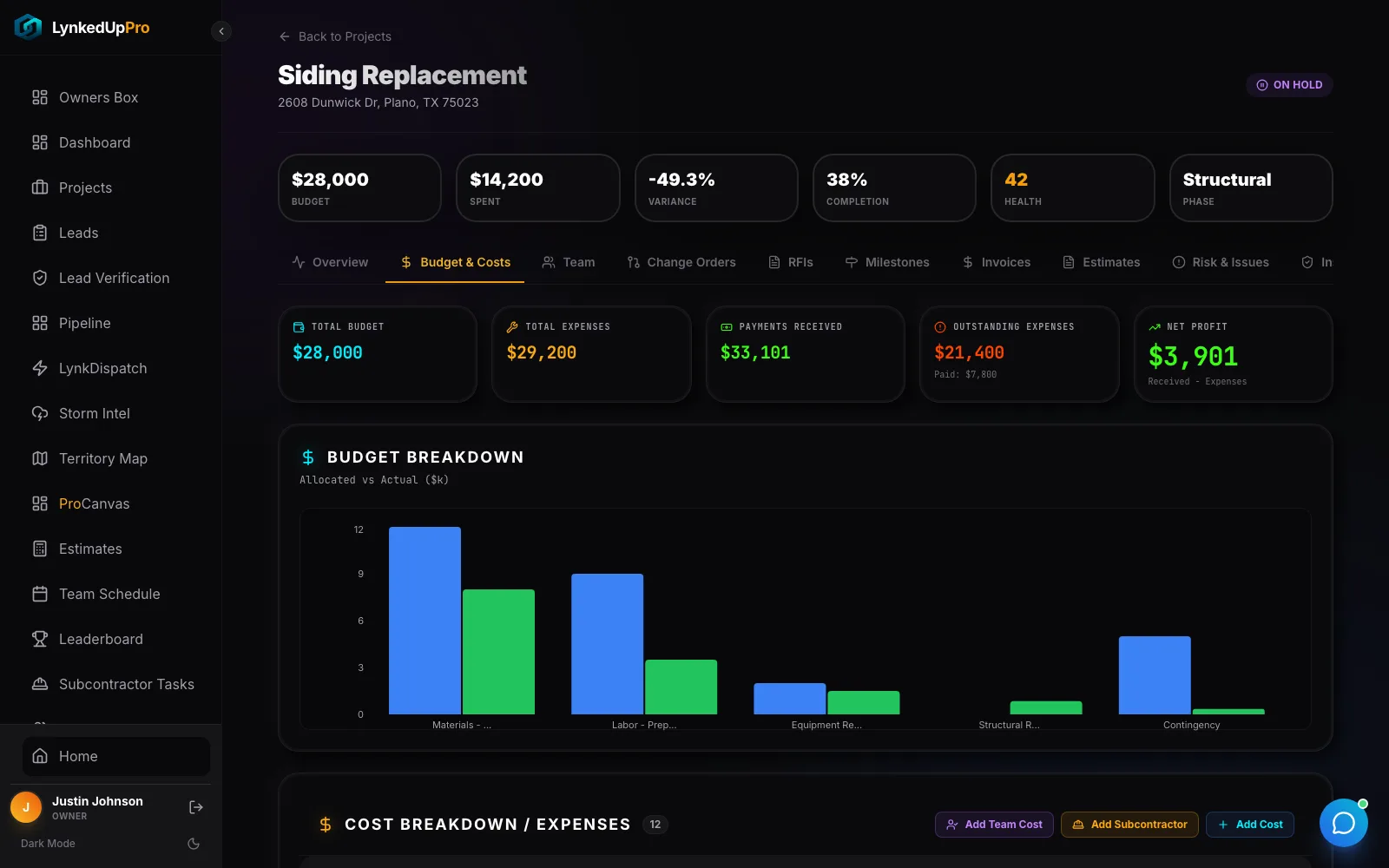
For a custom builder, the report that matters most is budget against actual on each project. Budget by cost code, committed cost by purchase order, and actual cost as invoices arrive; cost-plus jobs bill actual cost with a fee from the same purchase orders and invoices.
A buyer portal
Buyers want progress photos, the current phase, approved selections, and the next decision they owe. A portal answers most of those questions without a phone call.
Warranty after closing
Warranty requests should route to the responsible trade with a record of what was done. Our warranty management guide includes a triage table you can adopt.
Custom vs Production Builder Software
| Need | Custom builder | Production builder |
|---|---|---|
| Scope | Unique per project | Repeatable plans and options |
| Schedule | Built per project | Template per plan, adjusted per lot |
| Pricing | Allowances, fixed price or cost-plus | Base price plus option pricing |
| Sales | Long, consultative, referral-heavy | Community traffic and model homes |
| Buyer contact | Weekly, detailed, many approvals | Phase updates and selection deadlines |
| Key report | Budget vs actual per project | Cycle time and margin per plan |
LynkedUp Pro supports both: custom builders use per-project scopes, allowances, and cost-plus billing; production builders use plan templates and repeatable schedules; both use the same selections and change-order flow, all on the home builder record.
Questions to Ask Before You Buy
- Can I build a schedule and budget per project, not just from templates?
- Do approved selections and change orders update the contract value automatically?
- Does it handle both fixed-price and cost-plus billing?
- Can trade partners confirm dates without a paid seat?
- Can buyers see progress and pending decisions in a portal?
- Do draw packages assemble from photos and lien waivers already uploaded?
- Does the file continue into warranty after closing?
- How do I export my data if I leave?
For a full demo script to run against any vendor, see how to evaluate a home builder CRM.
Frequently Asked Questions
What software do custom home builders use?
Custom builders use a mix of CRMs, scheduling tools, selections spreadsheets, and accounting software, or a single home builder platform that combines sales, selections, scheduling, budgets, draws, and a buyer portal.
What is a custom home builder CRM?
It is a CRM that manages buyers from first inquiry to contract and keeps the same record through selections, the build, closing, and warranty, rather than stopping at the signed contract.
Does custom home builder software handle cost-plus contracts?
Good options do. Cost-plus jobs should bill actual cost with a fee, drawing from the same purchase orders and invoices used for job costing.
What report matters most for custom builders?
Budget vs actual per project, by cost code, reviewed weekly. It shows an overrun while there is still time to act, rather than at closing.
Is production builder software right for custom builders?
Usually not on its own. Production tools assume repeatable plans and templates, while custom builders need per-project scopes, schedules, and budgets.